
This guide will show you how you can book a meeting time that suits all meeting participants using the scheduling assistant.
People often send meeting requests without checking attendees' availability, leading to unnecessary back-and-forth to find a suitable time.
When sending a meeting request, enter all details and attendees, then click Scheduling Assistant.
When sending a meeting request, enter all details and attendees, then click Scheduling Assistant.
This tool lets you view attendees' calendars and easily choose a time that works for everyone, reducing declined requests due to conflicts.
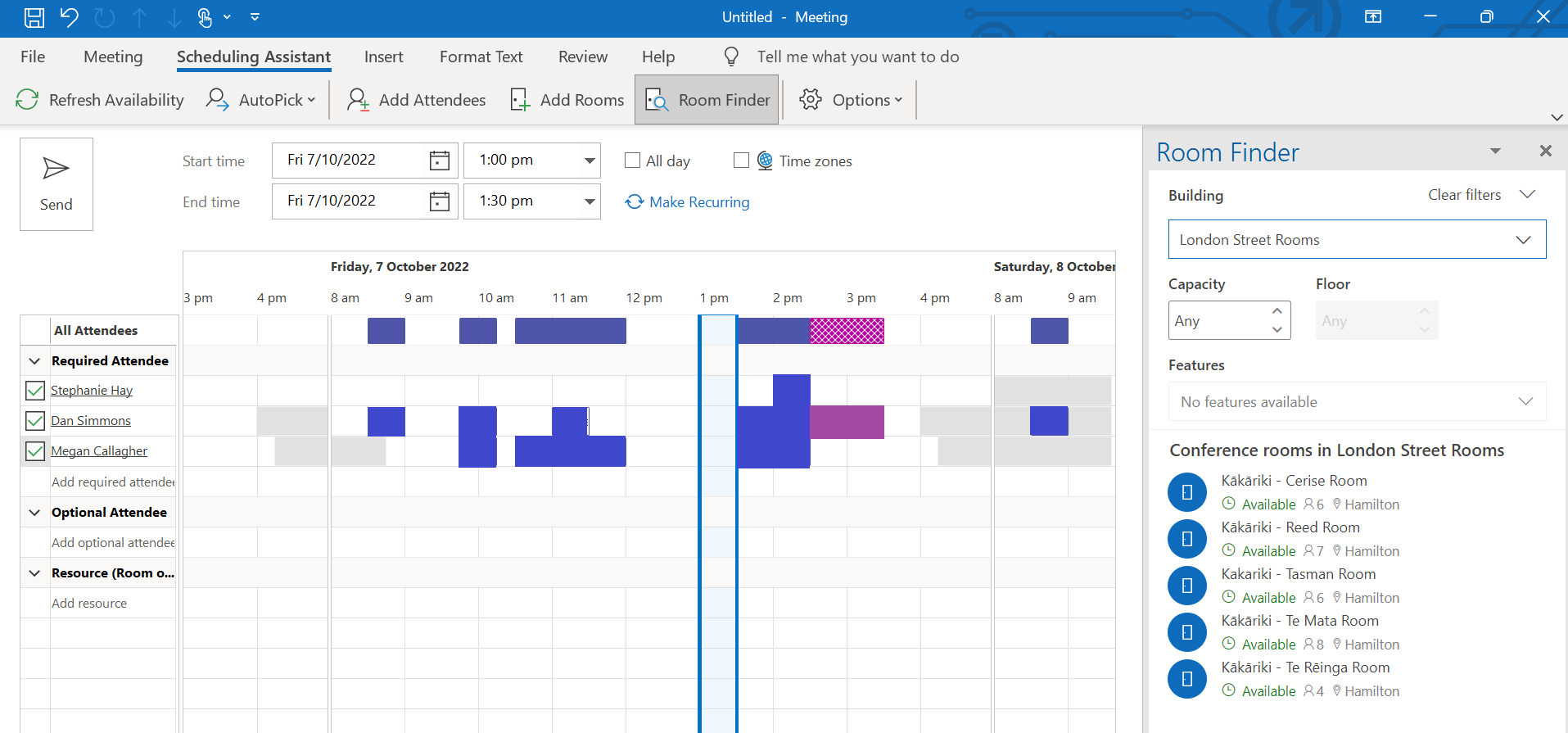
Simply select an available time slot, and the meeting will update automatically. It's a convenient tool, try it next time you schedule a meeting!
Simply select an available time slot, and the meeting will update automatically. It's a convenient tool, try it next time you schedule a meeting!
Comments
Please sign in to leave a comment.